
Published reference and evidence status
This page is an evaluation reference. Model-specific specifications, test outcomes, certifications, stock and delivery terms are not established by this page. Use current controlled documents and written project confirmation for a procurement decision.
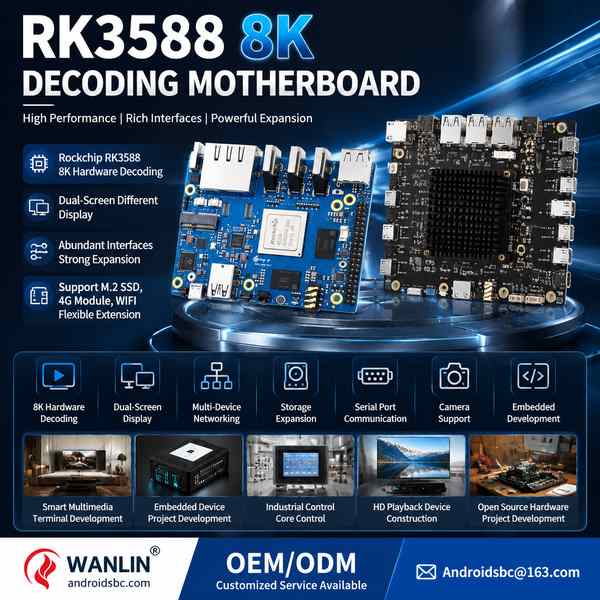
RK3588 8K Video Decode Board OEM & ODM Services for Global Distributors and System Integrators
- Custom carrier board design with your panel interfaces, connectors, mounting and IO layout
- Custom OS builds: Android, Ubuntu, Debian, Yocto and Buildroot
- Firmware customization: decode profiles, boot logo, autostart, kiosk mode, pre-installed apps, scheduled power control
- Multi-language user manuals, interface drawings and quick-start guides
- New board development and ODM manufacturing for advertising, signage, kiosk, live streaming, menu board, video wall, medical, classroom and smart retail products
- Long-lifecycle programs that hold a board revision for multi-year product cycles
Configuration fields to verify
Configuration documents to request
The former table contained reference values without controlled model documents. Treat the following as fields to verify, not specifications or test results.
- SoC: request the current model document, applicable configuration and acceptance evidence.
- CPU: request the current model document, applicable configuration and acceptance evidence.
- GPU: request the current model document, applicable configuration and acceptance evidence.
- NPU: request the current model document, applicable configuration and acceptance evidence.
- VPU decode: request the current model document, applicable configuration and acceptance evidence.
- Touch output: request the current model document, applicable configuration and acceptance evidence.
- Memory: request the current model document, applicable configuration and acceptance evidence.
- Storage: request the current model document, applicable configuration and acceptance evidence.
- Operating system: request the current model document, applicable configuration and acceptance evidence.
- Kiosk controls: request the current model document, applicable configuration and acceptance evidence.
- Network: request the current model document, applicable configuration and acceptance evidence.
- Serial and IO: request the current model document, applicable configuration and acceptance evidence.
- Touch: request the current model document, applicable configuration and acceptance evidence.
- Power input: request the current model document, applicable configuration and acceptance evidence.
RK3588 8K Video Decode Board OEM Process: From Inquiry to Shipment
- Define the Video Path - panel models, codec list, 8K output stage, interfaces, resolution and touch needs are fixed against your enclosure and software
- Lock the Software Stack - Android, Ubuntu, Debian, Yocto or Buildroot, plus decode profiles, autostart, kiosk mode and peripheral mapping for your application
- Verify Documentation - for applicable models, request and verify the certificate files, temperature validation and BOM information before ordering
- Sample Evaluation - samples wired to your exact panels are evaluated on your bench or in the field before mass production, with the same BOM used in the approved units
- Confirm Production - after specifications, commercial terms and OEM details are confirmed, the project proceeds to production
Q: What wake options exist for idle power saving?
A: A motion sensor on GPIO wakes the screens, and the board can dim or sleep on a schedule and return to the kiosk app without a full boot.